

It's easy to get started with aSmartwatch Plan
Have an eligible Power Mobile service.
Add a Smartwatch Plan to your account.
Activate the eSim on your compatible smartwatch.
Start making and receiving calls using your existing mobile number.
Why you should choose a
Power Mobile Smartwatch Plan
Answer calls from your watch
Make and receive calls using your existing mobile number.
Stay in touch on the go
Receive messages and notifications wherever you are.
Perfect for fitness and errands
Leave your phone behind when you exercise or run errands.
Stay connected during meetings
Discreetly take calls and stay connected without your phone.
Telstra Wholesale coverage
Runs on the Telstra Wholesale Mobile Network. Check coverage at your address.
Local Perth business support
Talk to real people who understand your business.
Stay connected using your existing mobile number with our
Power Mobile Smartwatch Plan
Smartwatch Plan
$10
per month
- $5 once-off activation charge
- 1GB of included data per month
- No excess charges
- Month-to-month contract
- Runs on the Telstra Wholesale Mobile Network
- Data access pauses until your next billing month if you use all 1GB
No lock-in contract – cancel anytime
Critical Information Summary
Compatible devices
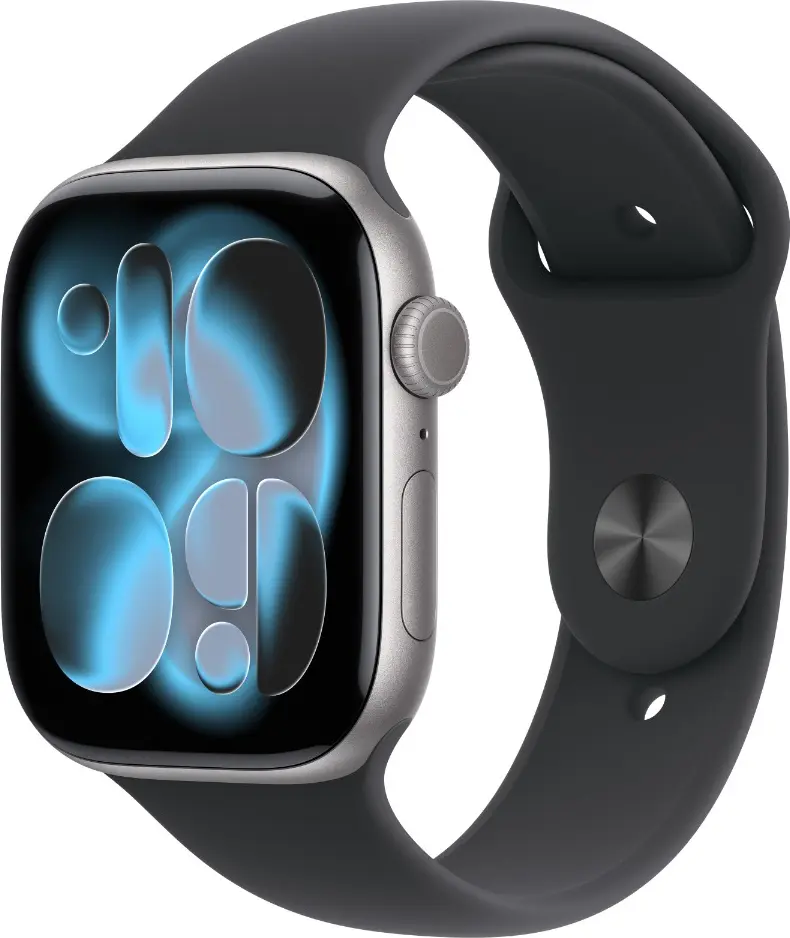

- Apple Watch Series 4 or newer
- Apple Watch SE
- Apple Watch Ultra
- Apple Watch Ultra 2
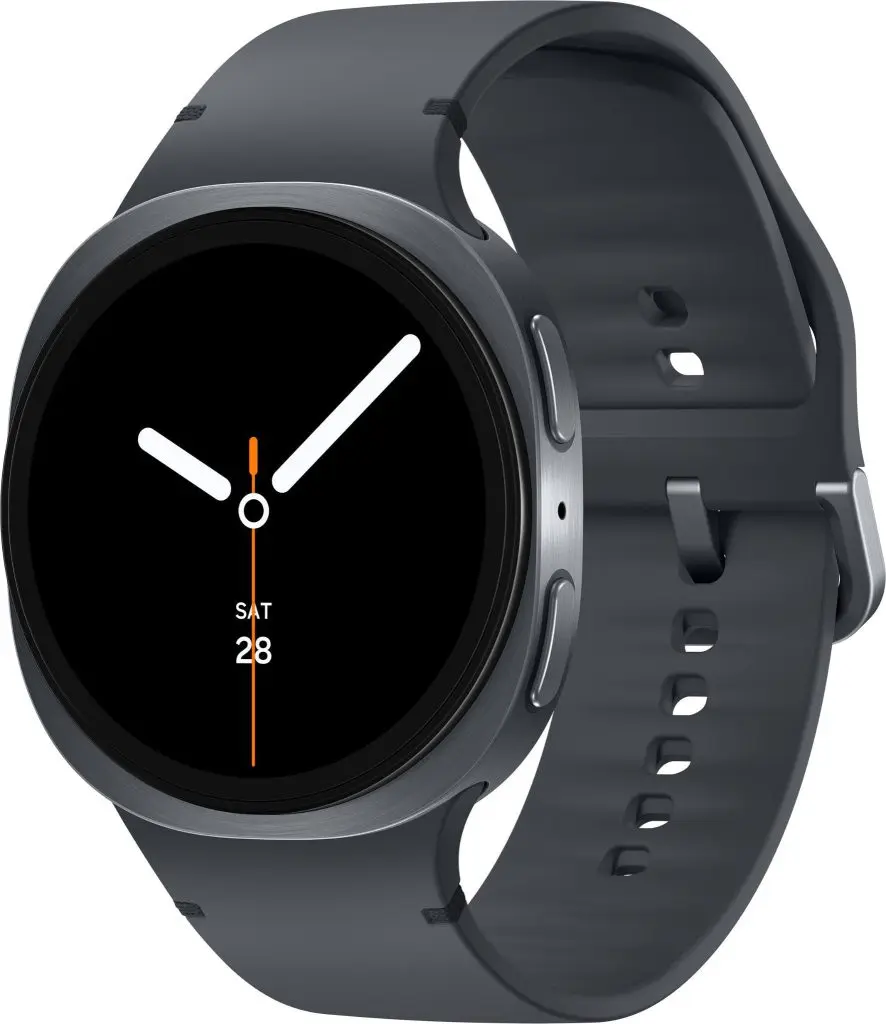

- Galaxy Watch Active2
- Galaxy Watch 3
- Galaxy Watch 4 and newer
- Galaxy Watch Ultra
Smartwatch Plan FAQs
Is my smartwatch compatible?
You need a GPS + Cellular (eSIM) model, paired with a phone from the same brand:
- Apple: Apple Watch Series 4 or newer, Apple Watch SE, Ultra and Ultra 2, paired with an iPhone.
- Samsung: Galaxy Watch Active2, Galaxy Watch 3, Galaxy Watch 4 or newer and Galaxy Watch Ultra, paired with a compatible Samsung Galaxy phone.
GPS-only watch models, Google Pixel watches and phones, and other brands aren’t supported. Make sure your watch and phone are both running the latest software before you activate.
Which mobile plans can I add it to?
The Smartwatch Plan works with our 5G voice plans: Business Mobile (Data Bank) 45GB, 100GB and 180GB, and Business Mobile (Data Share) 45GB and 60GB.
It isn’t available on Data Share 10GB or 30GB plans (4G), or on Mobile Broadband data-only plans. You can connect one smartwatch to each eligible mobile service.
Can I keep my existing mobile number?
Yes. Your watch shares the same number as your phone, so there’s no new number to give out. Calls to your number ring on your phone and your watch at the same time.
Can I leave my phone at home?
Yes. Once activated, your watch connects to the Telstra Wholesale Mobile Network on its own, so you can make and receive calls and use apps without your phone nearby.
Standard SMS and MMS aren’t supported on the watch’s own connection. Use messaging apps such as iMessage or WhatsApp instead. Check coverage at your address.
What happens when I use my 1GB of data?
Your watch has its own 1GB of data each month, separate from your mobile plan. It can’t use your phone plan’s data, Data Bank or Data Share allowance.
If you use all 1GB, your watch’s mobile connection pauses until your next billing month. There are no excess charges, and your watch still works through your phone over Bluetooth or Wi-Fi. Unused data doesn’t roll over. Most smartwatches use around 100MB a month, so 1GB is plenty for typical use.
Can I activate it myself?
Yes. First, call us on 1300 797 428 to add the Smartwatch Plan to your account. We’ll give you a 6-digit PIN for activation.
Then, with your phone close to your watch:
- iPhone: open the Watch app, tap Mobile, then Set Up Mobile.
- Samsung: open the Galaxy Wearable app, tap Watch settings, then Mobile plans.
Enter your mobile number and PIN, then the one-time code we send to your phone by SMS, and tap Accept & add device. Activation usually takes a few minutes.
Can I use it overseas?
No. The Smartwatch Plan works in Australia only, so your watch’s mobile connection won’t work overseas. Your watch can still work through your phone or Wi-Fi while you travel.
What if I change my phone or watch?
New watch: if it’s the same brand as your phone, run the setup in your watch app again and you’ll be offered the option to move your plan to the new watch.
New phone: remove the plan from your watch first (see below) or call us, then pair your watch with your new phone and set up the plan again.
A $5 eSIM activation charge applies each time a new eSIM is set up.
How do I cancel?
The Smartwatch Plan is month-to-month, so you can cancel at any time. We bill pro rata, so you only pay for the days your plan is active. Call us on 1300 797 428, or in the Watch app (iPhone) or Galaxy Wearable app (Samsung) go to your mobile plan, choose Manage Telstra Account and remove your watch.
Don’t choose “Remove Telstra Plan”. That removes the eSIM from your watch but doesn’t cancel the plan, so billing continues. If your main mobile service is cancelled or moved to another provider, your Smartwatch Plan ends too.